

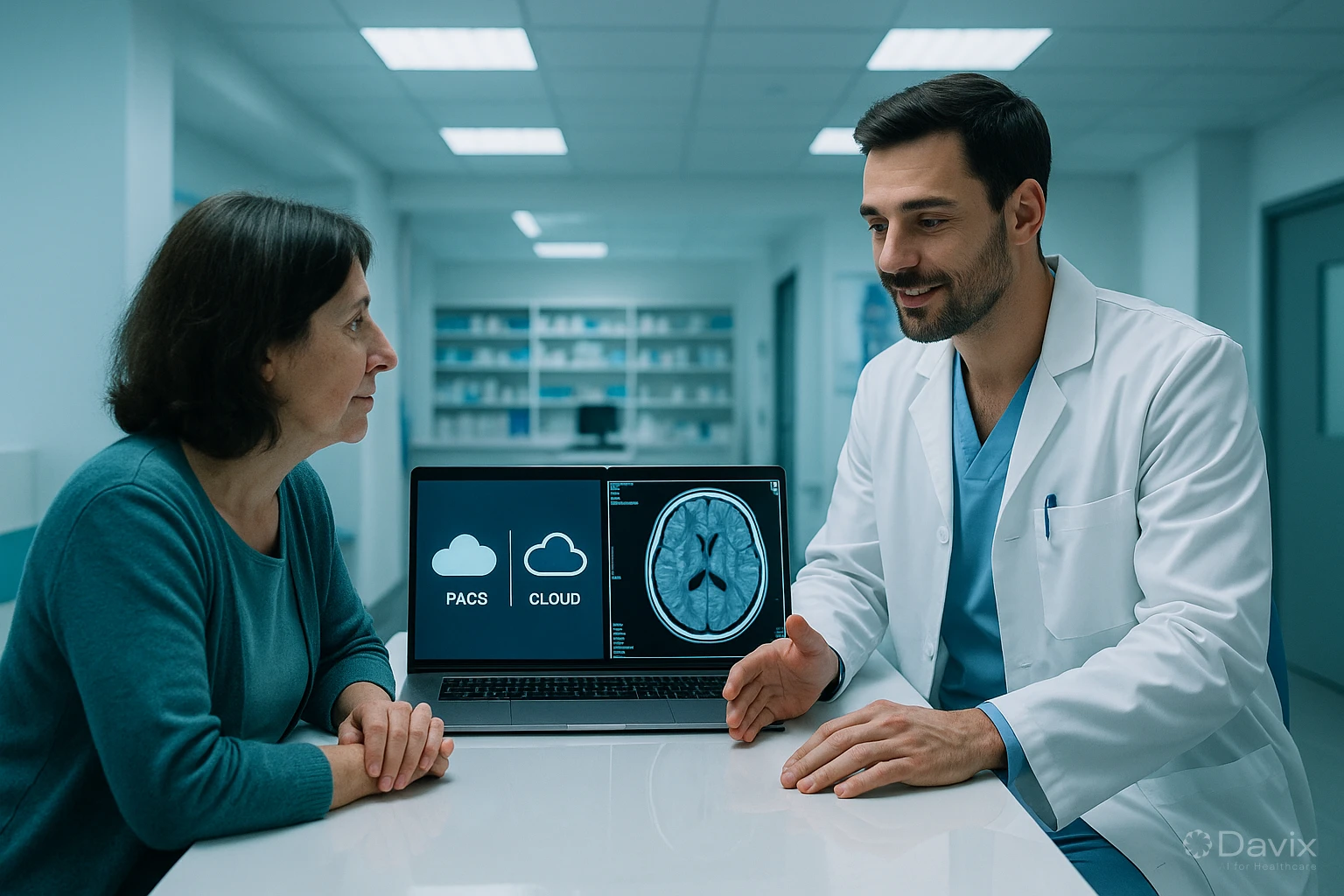
PACS On-Premise vs Cloud: 7 Key Differences That Define Your Investment (2026)
The decision between an on-premise PACS (installed on your servers) and a cloud PACS is one of the most important choices your imaging center will face in the coming years. It's not just a technical question — it defines your operating costs, growth capacity, security level, and the experience you offer radiologists and patients.
In this article we compare both options across 7 concrete dimensions so you can make an informed decision.
Difference 1: Cost model
On-premise:
- High upfront investment: server ($10,000–$30,000 USD), software licenses ($5,000–$20,000 USD), installation and configuration ($3,000–$10,000 USD).
- Recurring costs: annual license maintenance (15–20% of license cost), IT support, electricity, physical space.
- Every 4-5 years: hardware renewal due to obsolescence.
Cloud:
- No upfront investment: everything is paid as a monthly subscription.
- Predictable costs: from $53 USD/mo with Davix.
- No hardware, maintenance, electricity, or physical space costs.
Concrete example: A center with one CT scanner and one X-ray unit spends between $25,000 and $60,000 USD over 5 years with an on-premise PACS. With Davix cloud, the same center spends between $3,180 and $28,500 USD over 5 years (depending on the plan), all-inclusive.
Difference 2: Storage and scalability
On-premise:
- Storage is limited to your disk capacity. When full, you buy more disks and configure them.
- An additional terabyte of enterprise storage (RAID) costs between $500 and $2,000 USD in hardware.
- Properly configuring RAID, backups, and redundancy requires IT expertise.
Cloud:
- Storage scales automatically as you generate more studies.
- No need to buy disks, configure RAIDs, or worry about capacity.
- Data is stored with geographic redundancy by default.
Difference 3: Access and teleradiology
On-premise:
- Access limited to the center's local network. Remote access requires VPN configuration, which is complex and costly.
- Teleradiology requires significant additional configuration.
- Patients can't access their studies online (they need CDs or USBs).
Cloud:
- Access from any browser, any device, any location.
- Native teleradiology: external radiologists access without VPN or additional software.
- Patient portal included: patients view their studies from their phone.
Ready to digitize your health center?
Discover how Davix can transform your hospital or clinic management with world-class technology.
Schedule Free DemoDifference 4: Security and backups
On-premise:
- Security is 100% your responsibility: encryption, firewall, patches, monitoring.
- Backups require manual configuration. 40% of backups are never verified.
- If your server fails and the backup doesn't work, you lose studies irreversibly.
Cloud:
- AES-256 encryption at rest and TLS 1.3 in transit, by default.
- Automatic daily backups, geo-redundant, verified.
- 24/7 security monitoring included.
- Automatic security updates with zero downtime.
Difference 5: Maintenance and updates
On-premise:
- Software updates require vendor coordination, maintenance windows, and testing.
- If you don't update, the system becomes vulnerable and obsolete.
- Hardware requires preventive maintenance (cleaning, component replacement, monitoring).
Cloud:
- Updates are applied automatically, without your team's intervention.
- You always operate on the latest software version.
- Zero hardware maintenance.
Difference 6: Implementation time
On-premise:
- Hardware purchase (2–6 weeks shipping), physical installation, network configuration, software installation, testing.
- Typical total time: 2–4 months.
Cloud:
- No hardware to buy or install. Configuration is remote.
- Typical total time: 2–4 weeks.
Difference 7: Resilience and continuity
On-premise:
- If your server fails, your PACS stops until you repair it. Recovery time can be hours to days.
- Natural disasters (floods, earthquakes, fires) can destroy the server and data.
- Redundancy requires a second server in another location, doubling costs.
Cloud:
- Cloud infrastructure is designed for high availability (99.9%+ uptime).
- Data is replicated across multiple geographic locations.
- If one data center has issues, the service continues from another automatically.
Summary table
| Criterion | On-premise | Cloud |
|---|---|---|
| Upfront investment | ❌ $18K–$60K USD | ✅ $0 |
| Monthly cost | ⚠️ Variable, unpredictable | ✅ From $53 USD/mo |
| Storage | ❌ Limited, manual | ✅ Unlimited, automatic |
| Remote access | ❌ Requires VPN | ✅ From any browser |
| Teleradiology | ❌ Complex configuration | ✅ Native |
| Patient portal | ❌ Not available | ✅ Included |
| Security | ⚠️ Your responsibility | ✅ Enterprise-grade, included |
| Backups | ❌ Manual | ✅ Automatic, geo-redundant |
| Updates | ❌ Manual, with downtime | ✅ Automatic, zero downtime |
| Implementation | ❌ 2–4 months | ✅ 2–4 weeks |
| Resilience | ❌ Single point of failure | ✅ Multi-region, high availability |
Frequently asked questions
Do my current imaging devices work with a cloud PACS?
Yes. Any device that supports DICOM (virtually any device from the last 15 years) connects to a cloud PACS exactly the same way as an on-premise one. Only the destination IP address changes.
What happens if I lose my internet connection?
Modern imaging devices have local buffering: they continue acquiring and storing studies temporarily. When the connection is restored, studies are automatically sent to the cloud PACS. For centers in areas with unstable connectivity, local gateway solutions act as a buffer.
Can I migrate from on-premise to cloud without losing studies?
Yes. PACS cloud migration is a well-documented process that can be done without disrupting your operation. Historical studies are transferred to the cloud PACS and validated for completeness.
Is the cloud really more secure than having the server at my center?
For the vast majority of institutions, yes. A professional cloud provider invests millions of dollars per year in security (encryption, 24/7 monitoring, certifications, backups) that an individual institution cannot replicate. The key is choosing a reliable provider with proven standards.
Conclusion
The comparison between on-premise and cloud PACS leaves no room for doubt for most imaging centers in Latin America:
- Cloud is more affordable: No upfront investment, predictable costs, no hardware.
- Cloud is more accessible: From anywhere, native teleradiology, patient portal.
- Cloud is more secure: Enterprise encryption, backups, and monitoring included.
- Cloud is faster: Implementation in weeks, not months.
- Cloud is more resilient: High availability, no single point of failure.
If you're evaluating the transition, check the Davix PACS/RIS pricing or schedule a demo to see a cloud PACS in action.
Related articles
How to Automate Appointment Scheduling at Your Clinic and Reduce Administrative Burden (2026)
Practical guide to automating medical appointment scheduling: reduce phone calls, eliminate double booking, and improve patient experience with digital tools.
How to Migrate Your PACS to the Cloud Without Losing Studies: A Step-by-Step Guide (2026)
Complete guide to migrating from an on-premise PACS to the cloud: planning, DICOM data migration, validation, and best practices to not lose a single study.

Set Up Teleradiology with Davix in 15 Minutes: Step-by-Step Tutorial
Practical tutorial to configure teleradiology with Davix PACS/RIS: from creating users to receiving the first signed report, in under 15 minutes.
